Amazon Deferred Transactions
Overview
Bookkeep's accounting automation for Amazon Seller provides merchants with a powerful, time-saving solution to streamline their sales reporting and bookkeeping processes. One of the most unique and valuable features of this integration is the ability to generate daily sales summaries that include deferred transactions, giving merchants real-time visibility into their sales performance—without waiting for Amazon to release the funds or update their reports.
What Makes Bookkeep's Integration Unique?
1. Inclusion of Deferred Transactions
Unlike traditional accounting methods or manual workflows that depend on Amazon's transaction release cycles, Bookkeep automatically captures and books deferred transactions on a daily basis. This means your sales data reflects all transactions—including those not yet settled by Amazon—providing a complete and current picture of your daily sales performance.
2. Real-Time Sales Insights
By incorporating deferred transactions into daily summaries, Bookkeep helps merchants make faster, data-driven decisions. No more waiting for Amazon's transaction releases to understand how your business is performing. You get a proactive, real-time view of your revenue, helping you respond quickly to trends, sales spikes, or slowdowns.
3. Elimination of Manual Booking and Changing Data
Amazon's deferred transaction data, when pulled from reports like the Date Range Report, often represents a snapshot in time. These reports can be inconsistent and change as transactions are released or updated, making manual reconciliation complex and error-prone.
Bookkeep eliminates this issue by:
- Automatically identifying and booking deferred transactions accurately
- Posting these entries directly into your accounting platform, such as QuickBooks Online or Xero
- Maintaining consistency and auditability in your records, without relying on static or outdated reports
Benefits for Amazon Sellers
- Time Savings: Reduce manual data entry and the need to parse Amazon reports.
- Accuracy: Improve the integrity of your financial data with up-to-date, automated entries.
- Decision-Making Confidence: Access near real-time revenue data to make faster and smarter business decisions.
- Simplified Reconciliation: Reduce end-of-month headaches by having your daily sales—including deferred transactions—already accounted for.
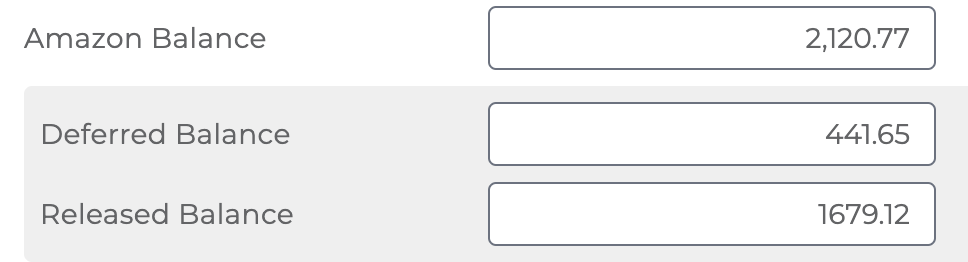
- Clear View of Amazon Balance Changes: Bookkeep splits your Amazon balance between deferred and released funds, allowing you to track how your balance evolves as transactions are released—offering greater transparency and insight into cash flow timing.
How It Works
- Connect your Amazon Seller account to Bookkeep.
- Bookkeep pulls daily transaction data, including deferred transactions on the Deferred and Released Summary template.
This template should not be used in conjunction with the Amazon Summary template, which only captures released transactions. Using both would duplicate your sales (see below for configuration). The Amazon Summary template is being retired; see Amazon Summary Template Retirement for how the two compare.
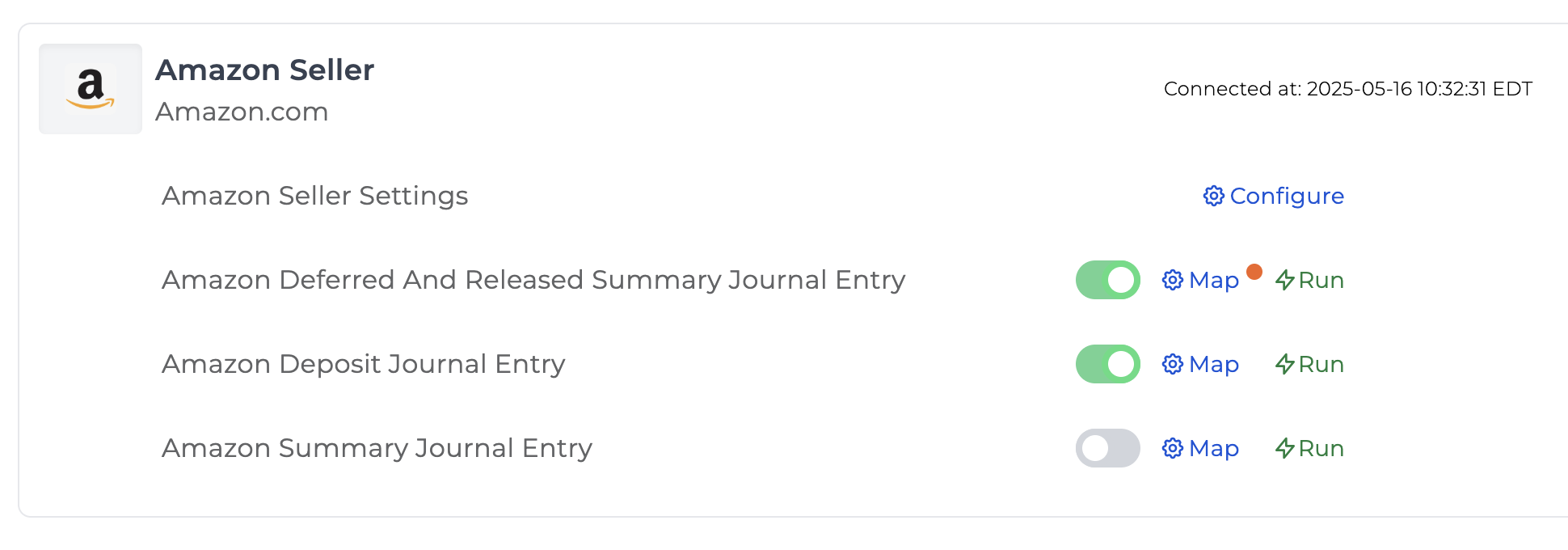
- You can map the Deferred and Released Summary template just as you would any other sales summary journal entry.
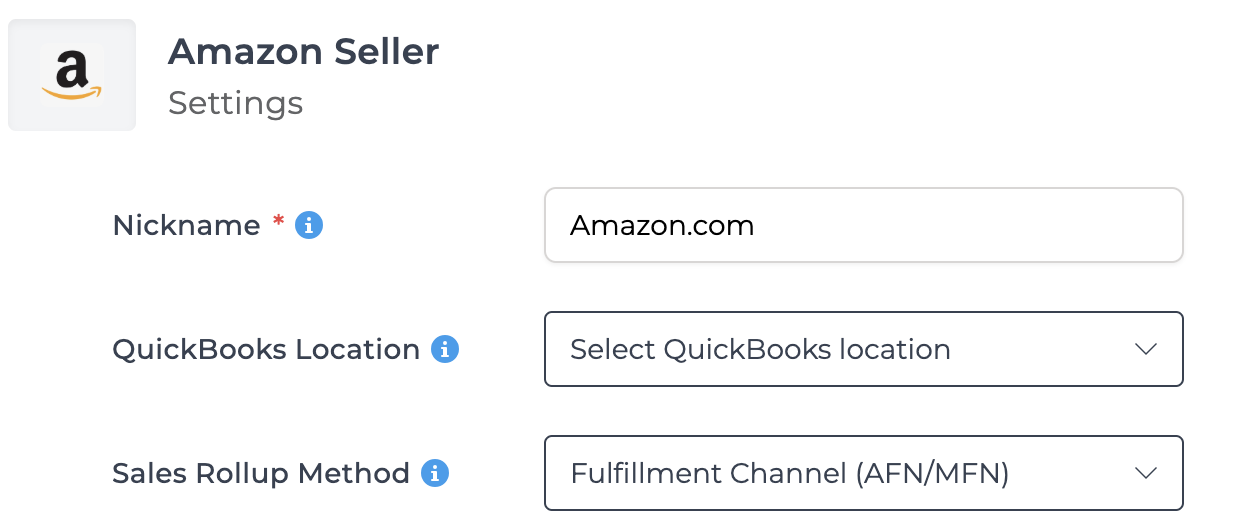
- Also, the sales rollup method chosen for your Amazon connection will apply to this journal entry template.
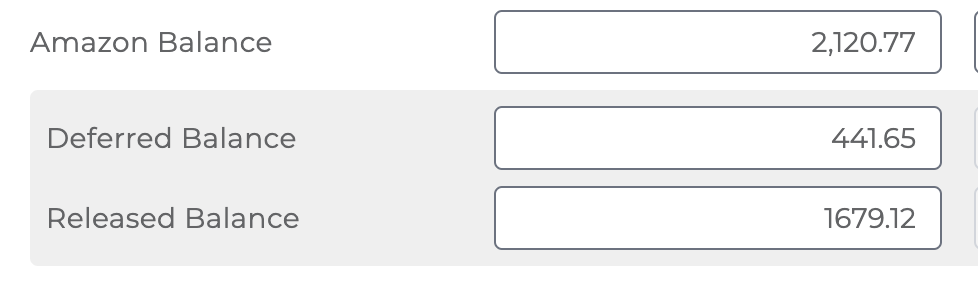
Two balance accounts: Amazon Balance and Amazon Deferred Balance
The entry always carries two balance-sheet lines, and both must be mapped:
| Line | Suggested account | What it holds |
|---|---|---|
| Amazon Balance | Other Current Asset, e.g. "Amazon Balance" | Sales Amazon has released and will pay out on the next deposit. The Amazon Deposit entry clears this account. |
| Deferred Balance | Other Current Asset, e.g. "Amazon Deferred Balance" | Sales Amazon is still holding (deferred). At any point in time this account equals what Amazon has not yet released. |
Sales are recorded as revenue when first seen as a deferred transaction and are not recorded again on release. Instead, the release moves the amount out of Deferred Balance and into Amazon Balance. Both lines carry child lines labeled by transaction type and by the date the amount was originally deferred (for example Deferred: Shipment from: 2026-06-25), so each release can be traced back to the day it drew down.
The entry for the last day of each month also records what Amazon Balance, Deferred Balance and Amazon Reserve Balance should hold at the end of that day. The figures are computed from Amazon's own transactions for the prior 75 days plus the settlement groups, never from other journal entries, and they are written in two places: the end of the entry's private note, as a line like Balances at end of 2026-08-31: Amazon Balance $80,424.13, Deferred Balance $589,595.13, Reserve Balance $31.90, and the entry's raw data. Compare each figure to the same account in your books as of that date, and to Amazon's Payments Dashboard. If Amazon's data for some day in the window was not available when the entry was built, the line ends with (N day(s) missing from the cache; incomplete). Every Amazon Deposit entry carries the same three balances as of its payout date, so between them a month-end close always has a figure to tie to.
Earlier versions of this template offered the deferred balance as an optional line that could be turned on or off. That option no longer exists: the two-account layout is the only supported one. Switching it mid-history left deferred sales stranded in Amazon Balance while their releases posted to Deferred Balance, which is exactly the kind of drift the two accounts are meant to prevent. If your entries were posted while the option was off, see Correcting history by re-running below.
It is possible some transactions do not start as deferred and go immediately to the Released Balance. These would be captured as sales when first encountered. You can see the source data attachment for every journal entry to view the transactions in the specific entry.
- Sales summaries are automatically generated and posted to your accounting system.
- You gain a clear, current view of your revenue—even for transactions not yet released by Amazon.
Tying out to Amazon reporting can be specifically challenging for deferred transactions. Amazon provides a deferred transactions report for invoiced orders in addition to another report for standard orders. This report is a live snapshot, meaning the data will likely change each time you download the report.
Switching from the Amazon Summary Template
The Amazon Summary template books a sale on the day Amazon releases it. The Deferred and Released Summary books it on the day Amazon defers it. A sale that was deferred before the switch and released after it would fall through both templates: the old one never saw it released, and the new one only looks at the day it runs.
To close that gap, Bookkeep records a revenue recognition start date for your Amazon connection when you move to the Deferred and Released Summary: the first day the new template runs. On that day Bookkeep posts, in addition to the normal daily entry, a one-time opening entry dated the start date itself. It:
- recognizes the revenue, fees and taxes for every sale that was deferred before the switch and still unreleased on the start date, exactly as the new template would have on the day each sale was deferred, and
- books the net into Deferred Balance, in the same dated child lines the later releases will draw down.
The entry is labeled Opening Deferred Balance and its document number ends in ODB, so it is easy to find. If nothing was in flight on the start date, no entry is posted. Once your Amazon connection has a revenue recognition start date, the opening entry is regenerated only by re-running that one day; no other day ever produces it.
If you switched templates before the revenue recognition start date existed, set the date to the day the new template first ran and re-run that day. The opening entry posts and your Deferred Balance account stops carrying a negative for those pre-switch sales.
Correcting History by Re-running
Every daily entry is generated from Amazon's data for that day and the current template rules. When those rules change, for example the deferred balance becoming a separate account, the way to bring history into line is to re-run the affected days from the revenue recognition start date forward. Each re-run replaces the day's entry under the current rules, so deferrals and their later releases end up in the same accounts and net to zero. No manual adjusting entries are needed.
After a re-run, the reconciliation reports attached to your next Amazon Deposit entry will confirm the result; see Matching your Amazon Seller Payouts to Amazon Reporting.
Conclusion
Bookkeep's Amazon Seller integration is designed for merchants who want to stay ahead of their accounting, improve accuracy, and gain real-time insight into their business performance. By automating the booking of deferred transactions and eliminating reliance on static Amazon reports, Bookkeep delivers a smarter way to manage your ecommerce financials.
If you have any questions, please write to us at support@bookkeep.com.