Manage COGS In Bookkeep With CSV Export And Import
Bookkeep’s COGS feature now includes an export and import functionality, making it easier than ever to manage costs for your Shopify, Walmart or Amazon product variants. To ensure accuracy, you should export all variants first and then use that file to input updates, so you have the correct format and all relevant data in one place.
Export All Product Variants
-
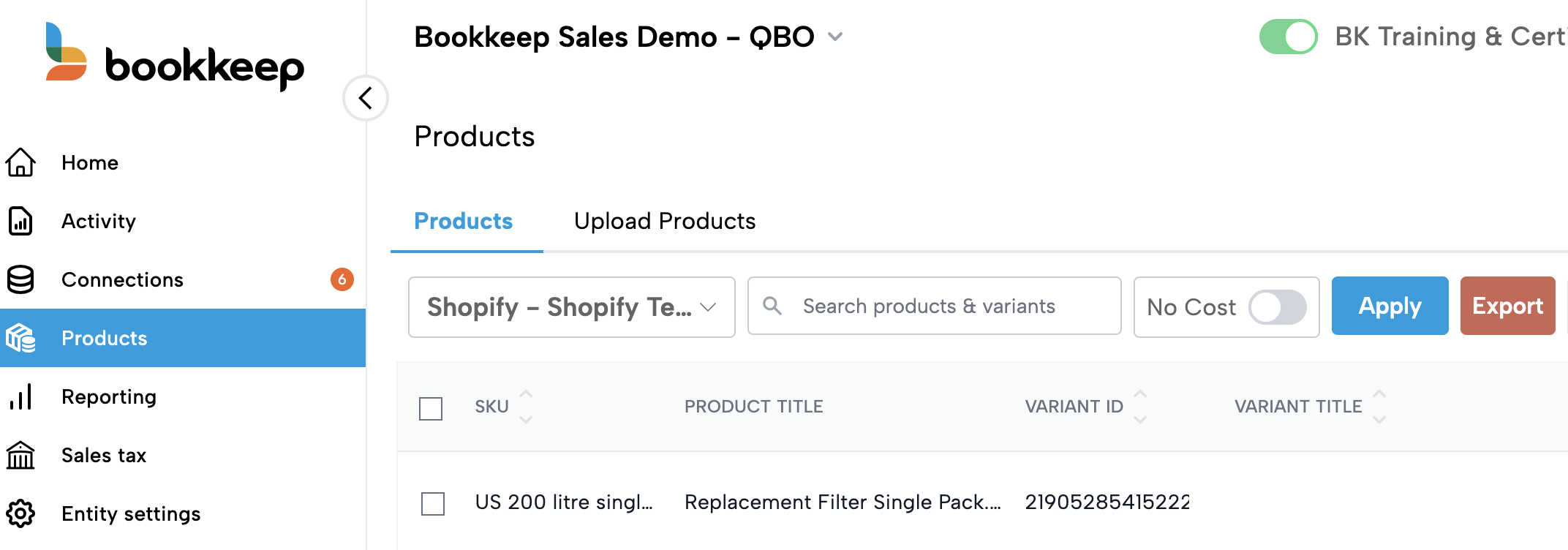
Navigate to the Products tab in Bookkeep.
-
Select the connection you want to update (Shopify, Walmart or Amazon) from the dropdown.\
-
Click Export to download a CSV file containing all product variants for that connection.
This exported CSV includes all required fields in the correct format, making it ready for cost updates.
Update Costs in the Exported CSV
When entering costs, do not include a currency code. Including a currency code may cause the upload process to fail.
When entering costs, do not include a currency code. Including a currency code may cause the upload process to fail.
-
Open the exported CSV in your preferred spreadsheet editor.
-
Update the Cost and Effective Date columns for each variant. These columns will be pre-filled with the most recent values, if available.
-
Enter dates in MM-DD-YYYY format.
-
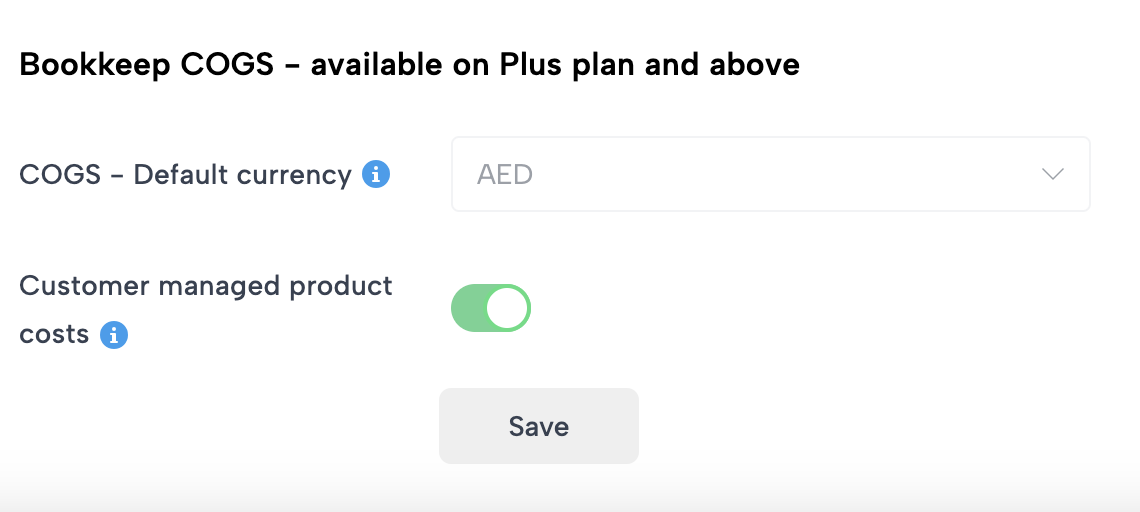
Enter costs in the currency associated with that connection, as configured in the connection’s settings (as shown below from the Connections view).
-
-
Save the file in CSV format.
Using the exported file as your starting point ensures all variant IDs and required fields remain intact, reducing the chance of errors during import.
Import the Updated CSV
-
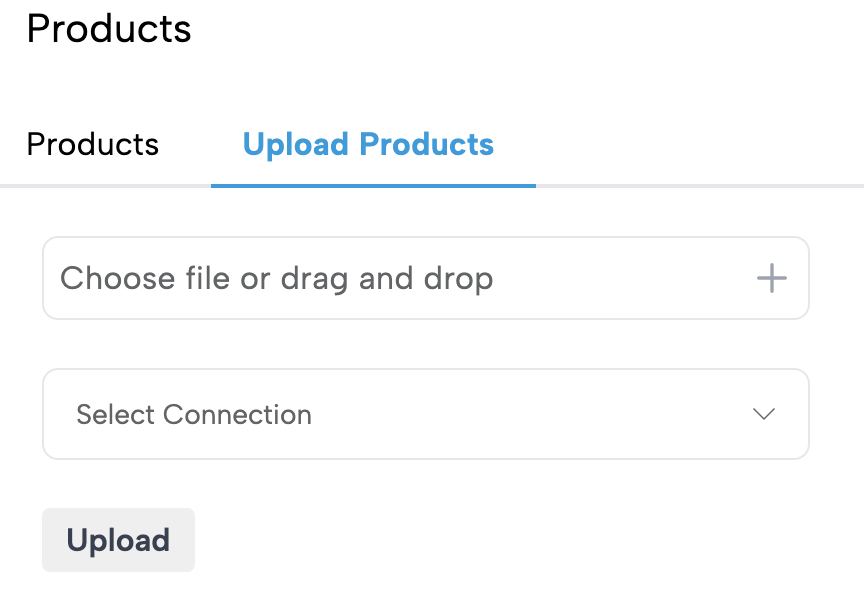
Return to the Products view in Bookkeep and select the Upload Products tab.\
-
In the Select Connection dropdown, choose the same connection the file is associated with.
-
Click Choose file or drag and drop, then select your updated CSV file.
-
Bookkeep will begin processing the file. Processing may take a few minutes depending on the number of variants.
Review Import Results
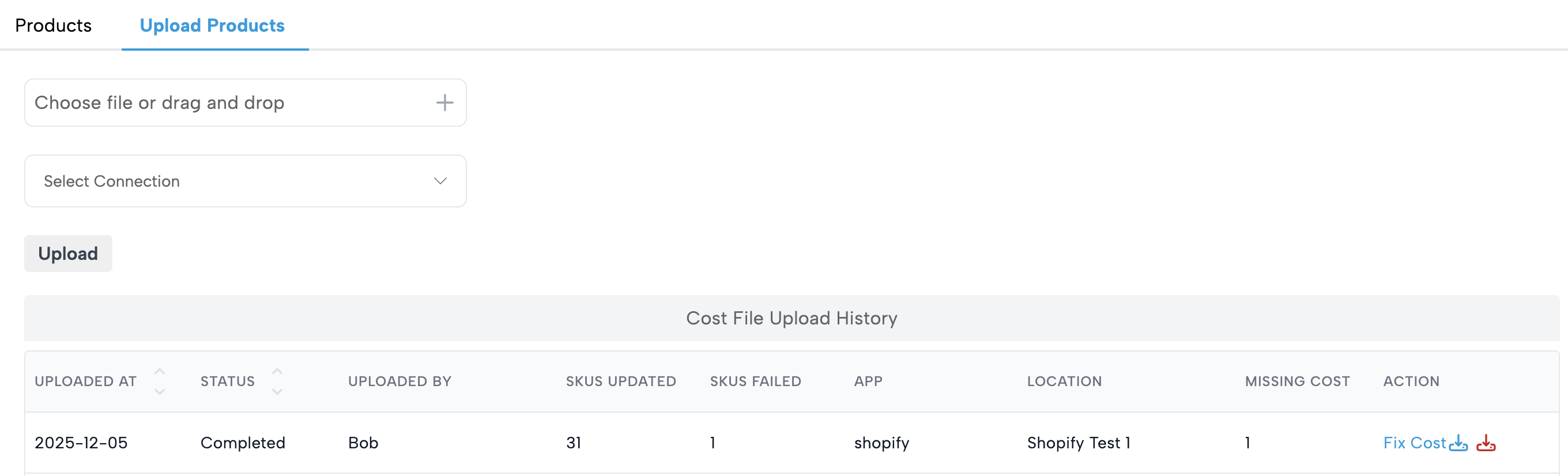
Once processing is complete (the status will show Completed), Bookkeep provides a summary that includes:
-
SKUs Updated – The number of variants successfully updated with new costs.
-
SKUs Failed – The number of variants that could not be updated.
-
Missing Cost – The number of variants that still do not have a cost for this connection.
If any variants failed to update:
-
Click the red icon next to your upload to download a file containing the failed rows.
-
A new column in this file will explain why each variant failed, helping you correct issues quickly.
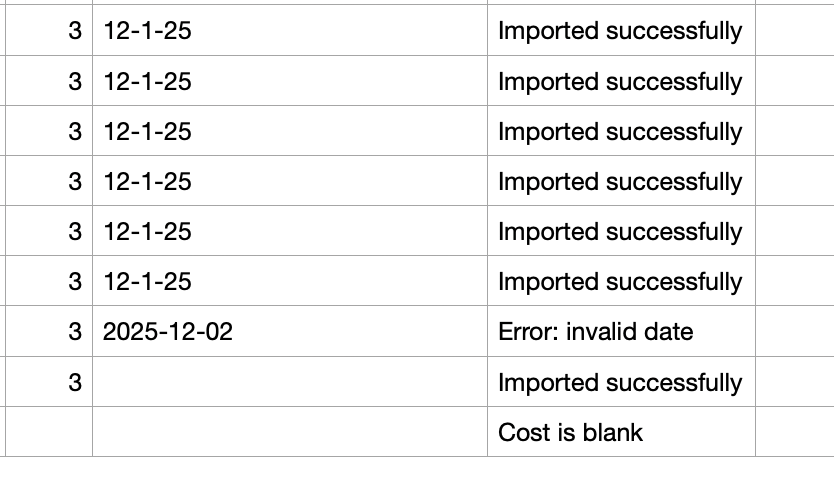
As part of the upload validation, Bookkeep validates the Product ID, Variant ID, and SKU columns. If these values are accidentally converted to scientific notation (e.g., 1.23E+06), Bookkeep can’t accurately match the variant, which will result in a “variant not found” error on that row. Please ensure these columns are not formatted in scientific notation.
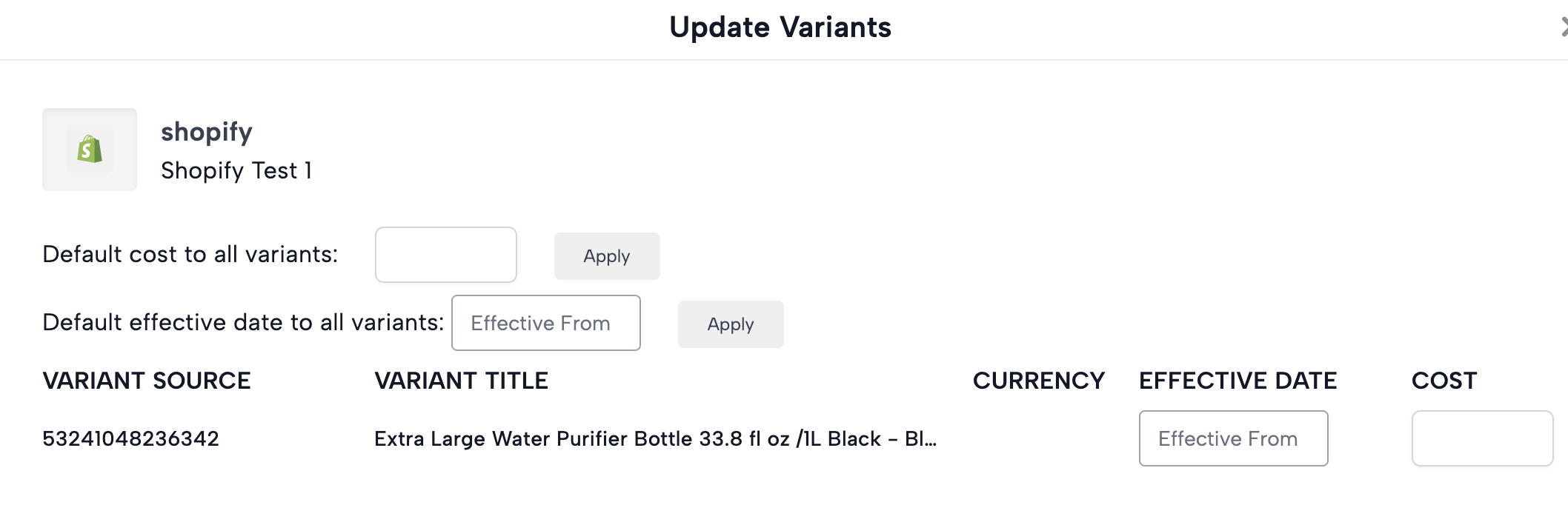
You can also click the blue icon to download the exact file you uploaded. The Fix Cost button is useful as it opens a modal listing all variants still missing a cost.
Best Practices
-
Always export all variants first to ensure the file contains the correct IDs and format.
-
Verify the Effective Date and Cost format before importing.
-
Check the summary report after each import to confirm all variants were updated correctly.
-
Use the download of failed variants to resolve issues efficiently.
With this export-and-import workflow, Bookkeep makes managing COGS for Shopify, Walmart, and Amazon fast, accurate, and scalable.